


The Attack Shark X6 Bluetooth Mouse offers high performance with a PixArt PAW3395 sensor, tri-mode connectivity (wired, Bluetooth 5.2, 2.4G), magnetic charging, and RGB lighting. It is designed for gaming and productivity with a customizable DPI range and macro functionality.

If you’re after a lightweight wireless mouse that doesn’t cost a fortune, the Attack Shark X6 keeps coming up — and for good reason. At around $42 on AliExpress, you get a PAW3395 sensor, a magnetic RGB charging dock, and tri-mode connectivity in a 49g shell. Let’s break down whether it actually holds up.
Attack Shark X6 Review: Quick Verdict
The Attack Shark X6 is a solid budget pick for anyone who wants a reliable wireless mouse with a flagship sensor without spending $80+. The 49g weight feels genuinely light in daily use, the magnetic charging dock is a convenient bonus, and the PAW3395 sensor performs well above its price point.
Best for: Casual gamers, remote workers, and students who want a capable wireless mouse on a tight budget
Not ideal for: Competitive players who need 4K/8KHz polling or a honeycomb design
👉 Check Current Price → AliExpress
Attack Shark X6 Specs
| Spec | Details |
|---|---|
| Sensor | PixArt PAW3395 |
| Weight | 49g |
| DPI Range | 800 / 1,600 / 2,400 / 3,200 / 5,000 / 26,000 |
| Polling Rate | 125–1000Hz |
| Tracking Speed | 650 IPS |
| Acceleration | 50G |
| Switch | HUANO Pink Dots (80M clicks) |
| Battery Life | 200 hours |
| Charging | Magnetic dock + USB-C cable |
| Connectivity | 2.4GHz + Bluetooth 5.2 + USB-C Wired |
| Buttons | 5 programmable |
| Size | 118.3 × 62 × 37.3mm |
| Colors | Black / White |
| Compatibility | Windows, Mac, Android |
Design and Build Quality
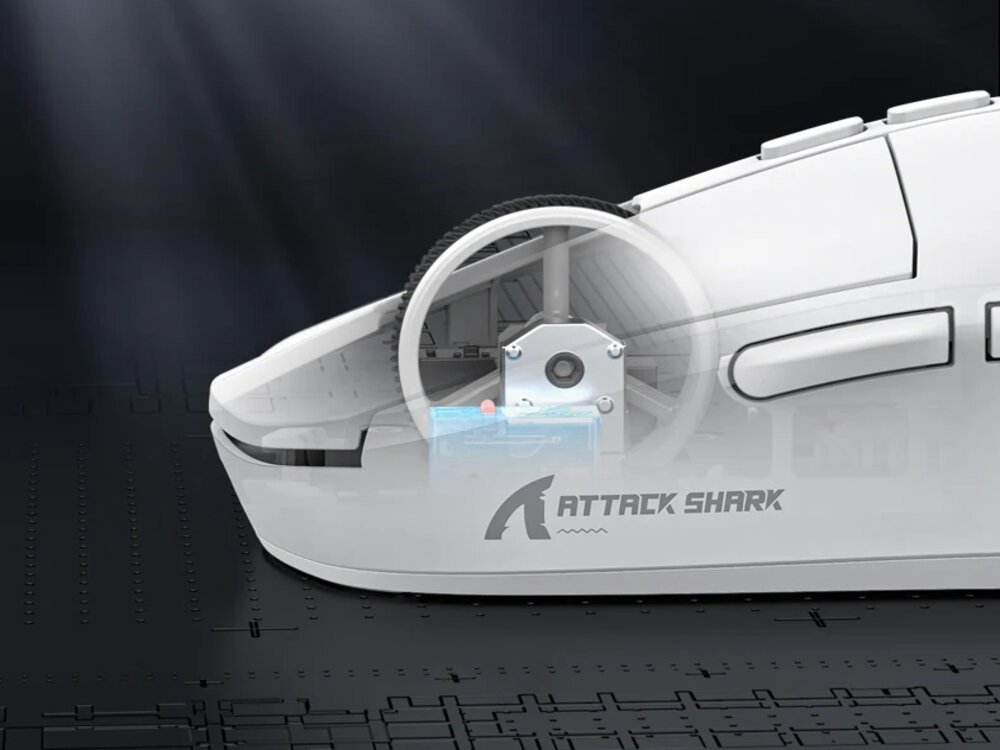
The X6 uses a solid shell rather than the honeycomb approach some ultralight mice rely on. At 49g, the weight reduction comes from liquid nitrogen cooling injection molding — a manufacturing process that thins the plastic without punching holes in it. The result is a mouse that feels clean and premium rather than skeletal.
The shape leans right-handed with a comfortable arch that works for both palm and claw grips. At 118.3mm long, it fits medium to large hands well. The HUANO Pink Dots switches feel crisp and register reliably, rated for 80 million clicks.
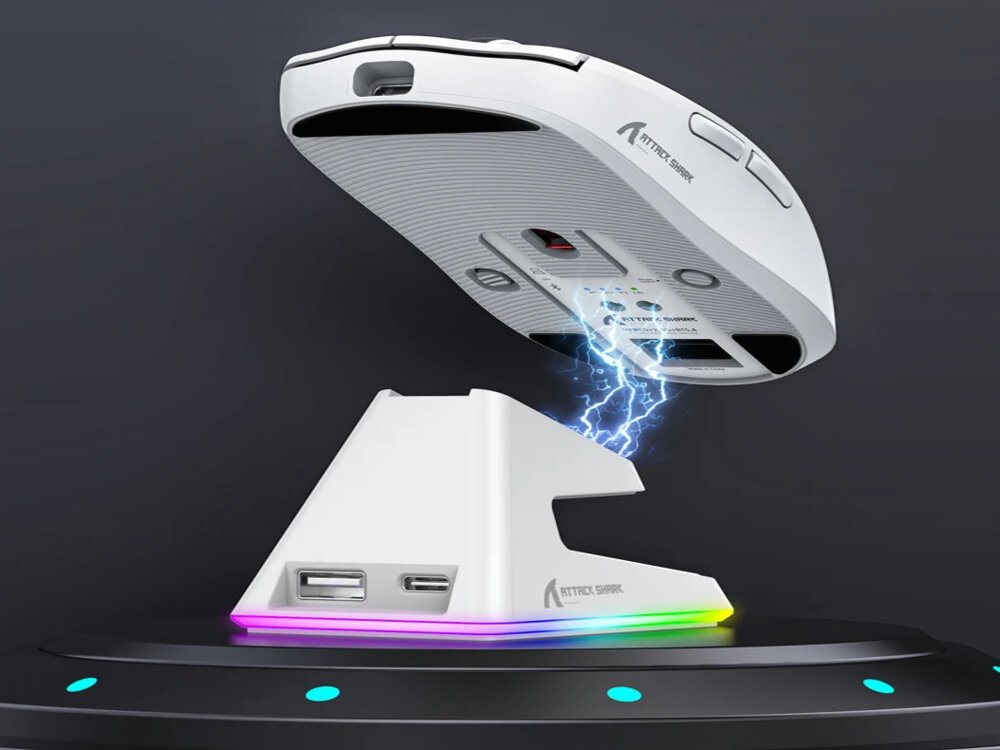
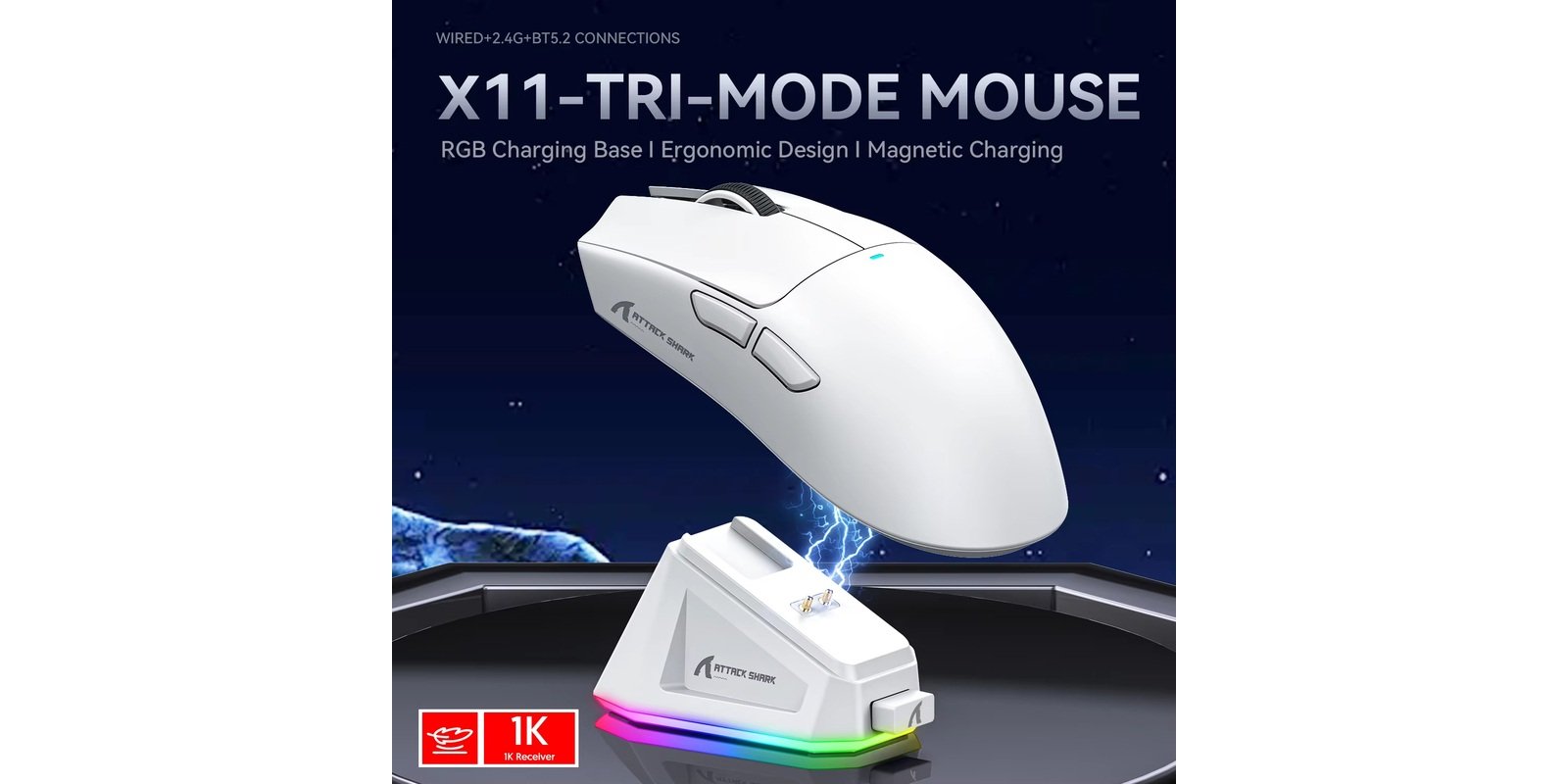
One design detail that stands out: the magnetic charging dock. You just drop the mouse on it and it snaps into place. The dock has a touch-sensitive button to cycle through RGB lighting effects — a small but genuinely useful feature. The mouse itself has no RGB, which helps keep the weight down. Available in Black and White.
Performance and Sensor
The PAW3395 from PixArt is one of the best sensors available at any price — the same chip used in mice twice the cost. On the X6, it delivers accurate and consistent cursor tracking across different surfaces, with no spin-out at high speeds and no jitter at low speeds.
The 1000Hz Polling Rate — Does It Matter?
Standard gaming mice run at 1000Hz, and for most users that’s completely fine. You’d only notice a real difference at 4000Hz or 8000Hz if you’re playing competitive FPS games at very high sensitivity. For general gaming, productivity, and everyday use, 1000Hz tracking feels smooth and responsive — and the X6 delivers exactly that.
Connectivity and Latency
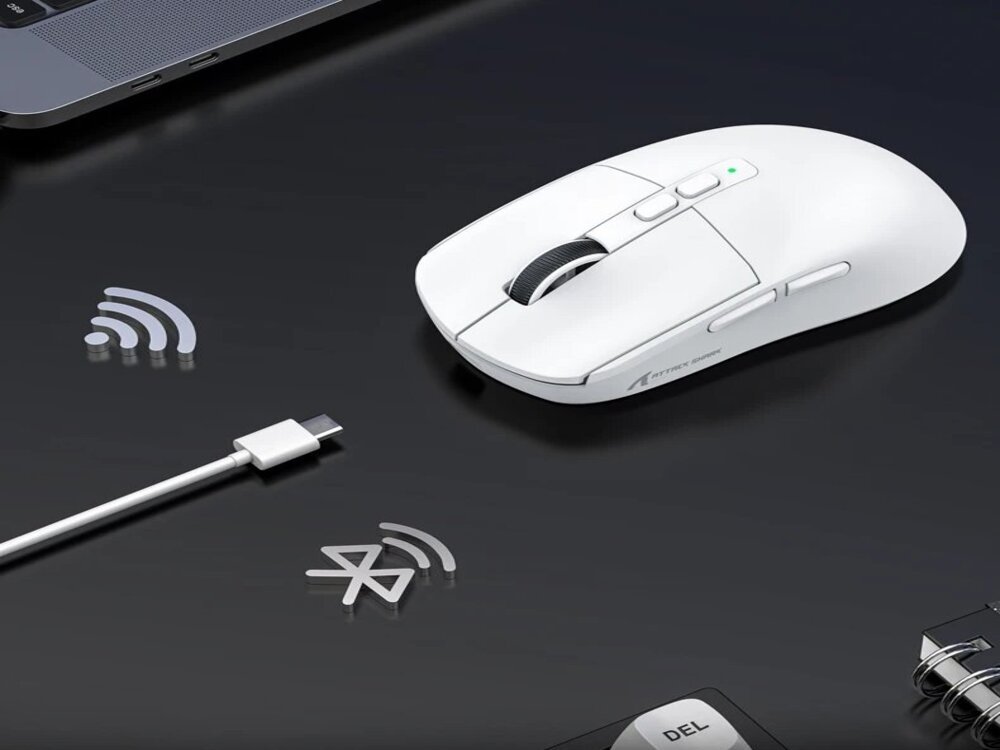
The X6 supports three connection modes, switchable via a button on the underside:
- 2.4GHz Wireless — low latency, stable, recommended for gaming
- Bluetooth 5.2 — great for travel, works on phones and tablets
- USB-C Wired — zero latency, doubles as charging
Switching between modes is simple. The 2.4G dongle is compact enough to carry easily. Bluetooth pairing is fast and stays stable across typical distances. No noticeable latency issues in 2.4GHz mode.
Battery Life
200 hours of battery is genuinely impressive at this price — roughly 5 to 6 weeks of daily use before you need to recharge. The magnetic dock makes recharging effortless: drop the mouse on the base when you’re done for the day and it’s always ready. A USB-C cable is included if you prefer to charge directly or use the mouse wired while the battery recovers.
Pros and Cons
Pros:
- PAW3395 sensor punches well above the $42 price tag
- 49g feels genuinely light — not a gimmick
- Magnetic RGB charging dock is convenient and well-built
- 200-hour battery means weeks between charges
- Tri-mode connectivity covers all use cases
- Works on PC, Mac, and Android without needing drivers
Cons:
- No 4K or 8KHz polling for serious competitive play
- RGB is only on the dock, not the mouse body
- AliExpress shipping takes 2–4 weeks
- Solid shell design — not honeycomb
Attack Shark X6 vs Competitors
| Feature | Attack Shark X6 | Attack Shark R3 | VXE Dragonfly R1 Pro Max |
|---|---|---|---|
| Price | ~$42 | ~$49 | ~$29 |
| Sensor | PAW3395 | PAW3395 | PAW3395 |
| Weight | 49g | 46g | 59g |
| Polling Rate | 1000Hz | 8000Hz | 2000Hz |
| RGB Dock | ✅ Yes | ❌ No | ❌ No |
| Bluetooth | ✅ Yes | ✅ Yes | ✅ Yes |
| Battery | 200h | Not specified | Long |
The X6 wins on price and battery life. If you want higher polling rate and a lighter symmetrical build, check our Attack Shark R3 review.
Who Should Buy It?
Buy it if:
- You want a capable wireless mouse under $50
- Battery life and charging convenience matter to you
- You move between devices — PC, Mac, phone
- You like having a neat magnetic charging setup on your desk
Skip it if:
- You need 4K+ polling for competitive FPS
- You want RGB lighting on the mouse itself
- You’re not willing to wait 2–4 weeks for AliExpress shipping
Final Rating
| Category | Score |
|---|---|
| Design & Build | 4.3/5 |
| Sensor & Performance | 4.6/5 |
| Connectivity | 4.5/5 |
| Battery Life | 4.7/5 |
| Value for Money | 4.4/5 |
| Overall | 4.5/5 |
The Attack Shark X6 is one of the better budget wireless mice available right now. The PAW3395 sensor, magnetic dock, and 200-hour battery make it easy to recommend at $42.
👉 Check Current Price → AliExpress
Frequently Asked Questions
Is the Attack Shark X6 good for gaming?
Yes. The PAW3395 sensor delivers 26K DPI and 650 IPS tracking speed. It performs well in FPS and strategy games. The 1000Hz polling rate is more than enough for casual to mid-level competitive play.
How long does the battery last?
Up to 200 hours on a single charge — several weeks of daily use before you need to place it on the magnetic dock.
Does the Attack Shark X6 work on Mac?
Yes. The X6 works on Windows, Mac, and Android without requiring drivers. The macro customization software is optional and Windows-only.
What’s the difference between the X6 and the Attack Shark R3?
The R3 is heavier at 46g with a magnesium alloy body and supports 8KHz polling. The X6 is lighter at 49g plastic, has a magnetic charging dock, Bluetooth support, and costs about half the price.
Is the AliExpress price reliable?
The X6 regularly sells in the $40–$45 range on AliExpress. Check the link below for the current price before ordering.
Disclosure: This page contains affiliate links. If you purchase through our links, we may earn a small commission at no extra cost to you.
 English