

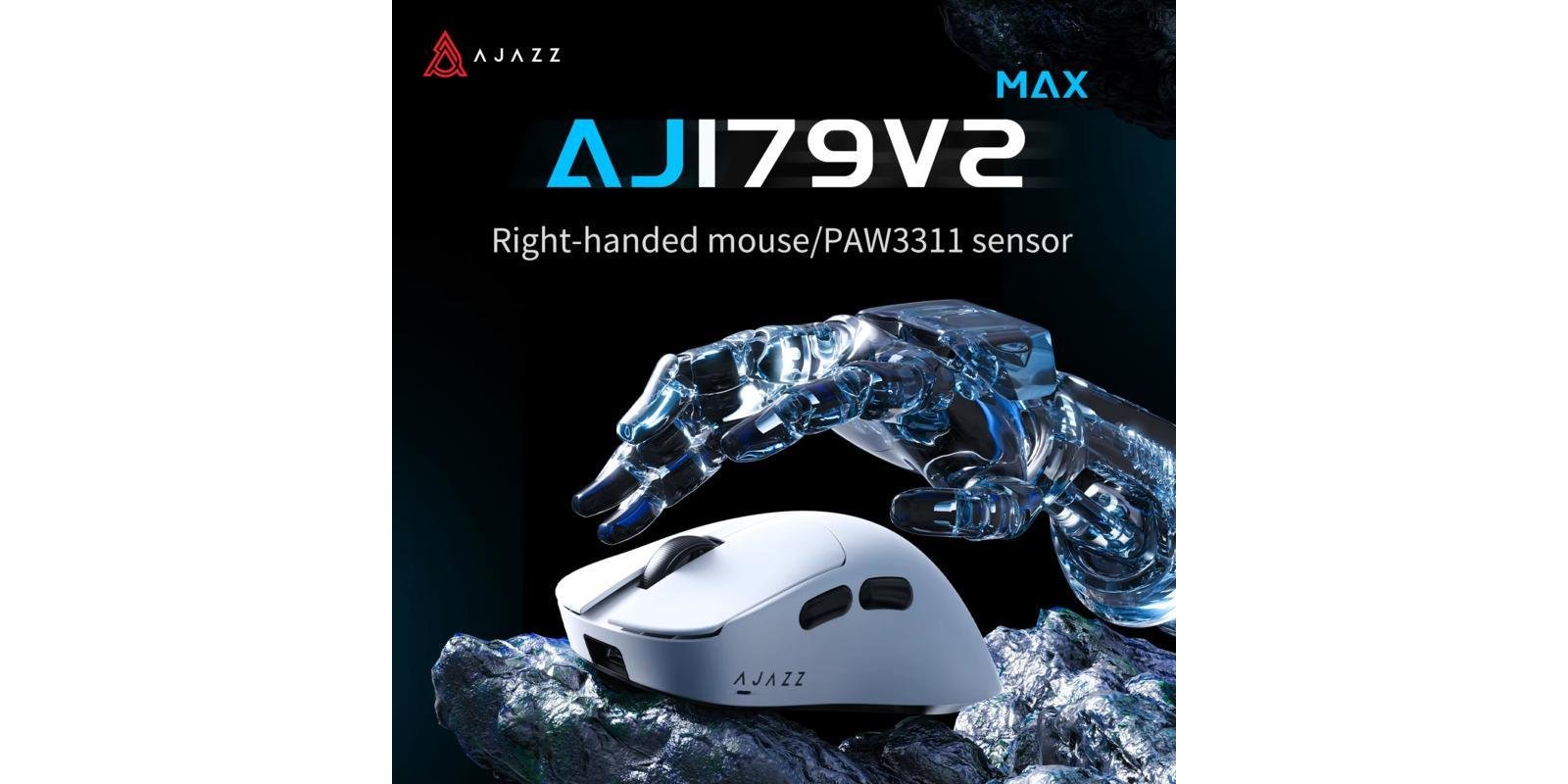
If you’re hunting for an affordable wireless gaming mouse with a magnetic charging dock and solid all-round specs, the AJAZZ AJ179 V2 MAX review keeps coming up. PAW3311 sensor, tri-mode connectivity, and a magnetic charging base — all at a genuinely budget price. Let’s find out if it’s worth buying.
AJAZZ AJ179 V2 MAX Review: Quick Verdict
The AJAZZ AJ179 V2 MAX is a well-rounded budget wireless gaming mouse built around the PixArt PAW3311 sensor, with tri-mode connectivity and an included magnetic charging dock. The V2 MAX variant doubles the battery capacity over the standard V2 and adds a higher click-rated switch set, making it the better pick of the two if you can find it for a similar price. Neither version is a flagship-sensor mouse, but for casual to mid-level gaming, the AJ179 V2 MAX punches above its price.
Best for: Budget gamers, casual to mid-level competitive players, anyone who wants a magnetic charging dock without paying flagship prices Not ideal for: High-level esports players who need a PAW3395-class sensor or a polling rate above 1,000Hz
AJAZZ AJ179 V2 MAX Specs
| Spec | AJ179 V2 | AJ179 V2 MAX |
|---|---|---|
| Sensor | PixArt PAW3311 | PixArt PAW3311 |
| Max DPI | 12,000 | 12,000 |
| Tracking Speed | 300 IPS | 300 IPS |
| Acceleration | 35G | 35G |
| Polling Rate | 1,000 Hz (wired + wireless) | 1,000 Hz (wired + wireless) |
| Switches | HUANO blue-dot — ~50 million clicks | HUANO green-dot — ~100 million clicks |
| Battery | 400 mAh | 800 mAh |
| Weight | ~49g | ~56g |
| Connectivity | 2.4GHz / Bluetooth / Wired USB-C | 2.4GHz / Bluetooth / Wired USB-C |
| Charging | Magnetic charging base | Magnetic charging base |
| Mouse Feet | Teflon | Teflon |
| Size | 125 x 67 x 43mm | 125 x 67 x 43mm |
Design and Build Quality
Both variants in this AJAZZ AJ179 V2 MAX review share the same ergonomic shell, sized for right-handed users at 125 x 67 x 43mm. The standard V2 is the lighter of the two at ~49g, while the V2 MAX is slightly heavier at ~56g due to its larger battery. Both use Teflon mouse feet for smooth glide.
The standout shared feature is the magnetic charging base. Simply set the mouse on the dock and it begins charging automatically — a convenience usually reserved for pricier mice. Build quality feels solid for the price, with no noticeable flex in the shell.
The main difference between the two variants is the switch set: the V2 uses HUANO blue-dot switches rated for roughly 50 million clicks, while the V2 MAX steps up to green-dot switches rated for around 100 million clicks — double the rated lifespan.
Performance and Sensor
This AJAZZ AJ179 V2 MAX review would not be complete without addressing the sensor honestly. Both variants use the PixArt PAW3311, delivering up to 12,000 DPI, 300 IPS tracking speed, and 35G acceleration. Learn more about PixArt sensors here. This is a budget-tier sensor, not a flagship one — it tracks cleanly for casual and mid-level competitive play, but it does not match the PAW3395 sensors found in pricier mice like the Attack Shark X6.
In everyday gaming — Valorant, casual CS2, general desktop use — the PAW3311 performs reliably with no noticeable smoothing or jitter. For competitive players chasing the lowest possible input lag at the highest level, a PAW3395-equipped mouse is the better choice.
Connectivity and Latency
The AJ179 V2 MAX connects in three ways: 2.4GHz wireless, Bluetooth, and wired USB-C. Both wired and wireless modes run at a 1,000Hz polling rate, which is smooth and standard for the vast majority of games. Bluetooth mode is convenient for switching between a PC and a laptop, while wired mode lets you keep playing while charging.
Battery Life
Battery life is where this AJAZZ AJ179 V2 MAX review found the two variants diverge most. The standard AJ179 V2 uses a 400mAh battery, while the AJ179 V2 MAX doubles that to an 800mAh battery — meaning significantly longer use between charges. If battery life matters to you, the V2 MAX is worth seeking out over the standard V2, especially since the magnetic charging dock makes topping up effortless either way.
Pros and Cons
Pros:
- Magnetic charging dock included
- Tri-mode connectivity (2.4GHz + BT + Wired)
- V2 MAX doubles battery capacity (800mAh) over the V2
- V2 MAX switches rated for ~100 million clicks
- Affordable, budget-friendly pricing
- Teflon feet for smooth glide
Cons:
- PAW3311 sensor — not a flagship-class sensor
- Polling rate capped at 1,000Hz
- Right-handed shape only
- Lower DPI ceiling (12,000) than pricier alternatives
AJAZZ AJ179 V2 MAX vs. Competitors
| Feature | AJ179 V2 MAX | Attack Shark X11 | Attack Shark X6 |
|---|---|---|---|
| Sensor | PAW3311 | PAW3311 | PAW3395 |
| Max DPI | 12,000 | 22,000 | 26,000 |
| Weight | ~56g | ~63g | ~49g |
| Battery | 800mAh | 300mAh | Built-in |
| Charging Dock | ✅ Magnetic | ✅ Magnetic RGB | ✅ Magnetic RGB |
| Polling Rate | 1,000Hz | 1,000Hz | 1,000Hz |
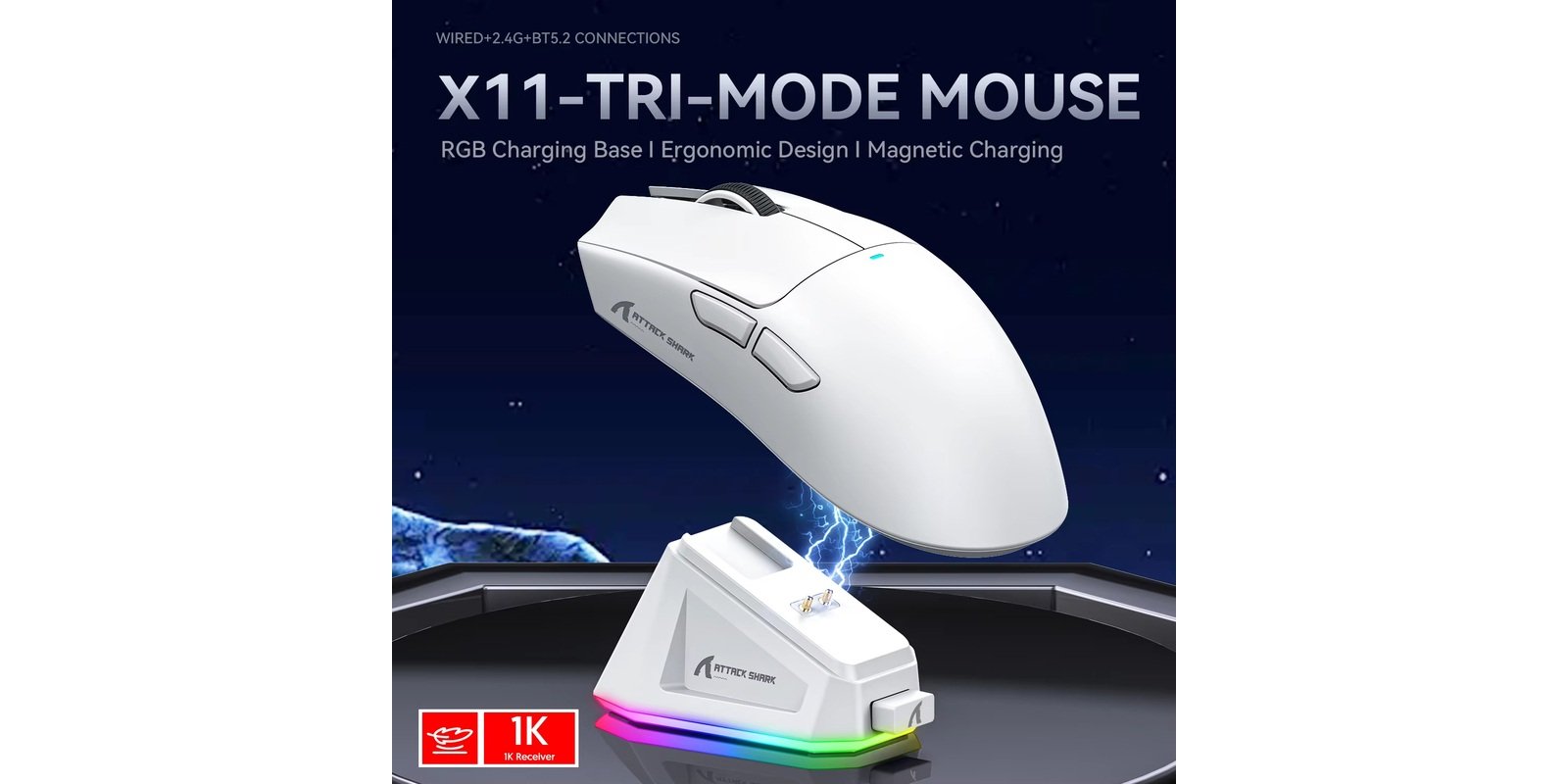
The AJ179 V2 MAX leads on raw battery capacity, while the Attack Shark X11 offers a higher DPI ceiling and RGB lighting at a similar sensor tier. For flagship-sensor performance, the Attack Shark X6 is the step up.
Who Should Buy It?
Buy it if:
- You want a magnetic charging dock at the lowest possible price
- You play casually to mid-competitive level
- Long battery life matters to you (choose the V2 MAX)
- You want tri-mode connectivity on a tight budget
Skip it if:
- You need a flagship PAW3395-class sensor for competitive esports
- You want a polling rate above 1,000Hz
- You prefer an ambidextrous or left-handed shape
Final Rating
| Category | Score |
|---|---|
| Sensor Performance | 3.8/5 |
| Build Quality | 4.2/5 |
| Wireless Performance | 4.0/5 |
| Battery Life | 4.3/5 |
| Value for Money | 4.6/5 |
| Overall | 4.2/5 |
This AJAZZ AJ179 V2 MAX review concludes it’s a solid pick for budget-conscious gamers who want a magnetic charging dock and reliable tri-mode connectivity without paying for a flagship sensor. The V2 MAX, with its larger battery and higher-rated switches, is the better value of the two variants.
Frequently Asked Questions
What is the difference between AJAZZ AJ179 V2 and V2 MAX? The V2 MAX has a larger 800mAh battery (vs. 400mAh on the V2) and higher click-rated switches (~100 million vs. ~50 million). Both share the same PAW3311 sensor and shell.
What sensor does the AJAZZ AJ179 V2 MAX use? Both variants use the PixArt PAW3311 sensor, with up to 12,000 DPI, 300 IPS tracking speed, and 35G acceleration.
Does the AJAZZ AJ179 V2 MAX come with a charging dock? Yes. Both variants include a magnetic charging base — place the mouse on it and it charges automatically.
Is the AJAZZ AJ179 V2 MAX good for competitive gaming? It’s suitable for casual to mid-level competitive play. For high-level esports, a PAW3395-equipped mouse like the Attack Shark X6 offers better tracking performance.
Does the AJAZZ AJ179 V2 MAX have Bluetooth? Yes. Both variants support Bluetooth, 2.4GHz wireless, and wired USB-C connectivity.
Disclosure: This article contains affiliate links. If you buy through them, we may earn a small commission at no extra cost to you. This helps support our site.
 English