

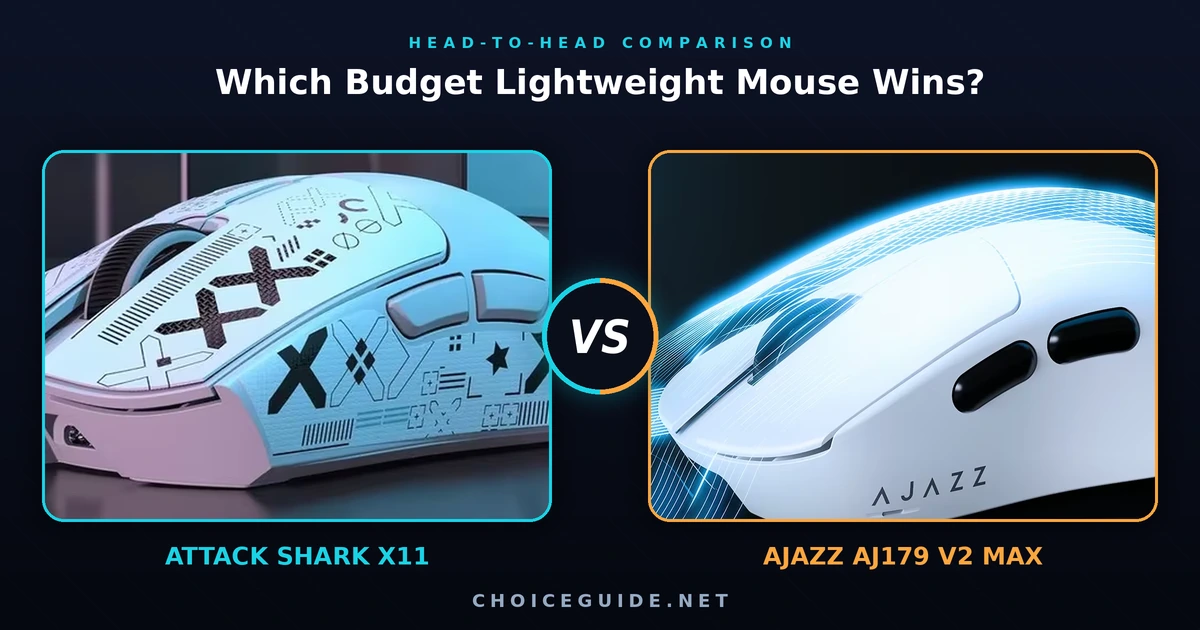
The Attack Shark X11 vs AJAZZ AJ179 V2 MAX matchup is one of the closest budget battles of 2026, and the reason is simple: these two ultralight wireless mice are almost twins on paper. Both weigh under 60 grams, both offer true tri-mode connectivity, both ship with a magnetic charging dock, and — crucially — both run the exact same PixArt PAW3311 optical sensor. So when the tracking is effectively identical, how do you actually choose? After pulling the verified specs straight from each AliExpress listing and cross-checking them against owner feedback, the differences come down to four things: switches, battery, software, and weight. Here’s the full breakdown.
Attack Shark X11 vs AJAZZ AJ179: The 30-Second Verdict
Short on time? Here’s the quick call:
- Pick the Attack Shark X11 if you want the eye-catching RGB charging dock, grip tape included in the box, a higher headline DPI, and Attack Shark’s more mature driver software.
- Pick the AJAZZ AJ179 V2 MAX if you want the lighter ~56g body, a much larger 800mAh battery, and switches rated for five times more clicks (100 million vs 20 million).
Because both share the PAW3311 sensor, in-game aim performs the same on either mouse. Your decision really hinges on long-term durability, battery life, and which shape fits your grip.
Disclosure: This comparison contains affiliate links. If you buy through one of them, we may earn a small commission at no extra cost to you. Our verdict is based only on verified specifications and aggregated owner feedback — see “How We Compared” below.
How We Compared These Two Mice
This comparison is built on verified specifications taken directly from the official Attack Shark and AJAZZ product listings, then cross-checked against multiple retailer listings and aggregated feedback from verified owners and independent reviewers. We don’t claim to have lab-tested both units side by side; instead, we focus on the spec-level facts that are objectively true, the engineering trade-offs they imply, and what real owners consistently report. Where a figure varies between sources — for example, the X11’s listed weight, which appears as anywhere from ~59g to ~63g depending on the listing — we give the range rather than cherry-picking the most flattering number. Specs and pricing are re-checked periodically, since both mice are still actively sold and occasionally revised.
Specs at a Glance
| Feature | Attack Shark X11 | AJAZZ AJ179 V2 MAX |
|---|---|---|
| Sensor | PixArt PAW3311 | PixArt PAW3311 |
| Max DPI | 22,000 (6 steps) | 12,000 (6 steps) |
| Polling rate | 1,000 Hz | 1,000 Hz · 125 Hz (BT) |
| Weight | ~59–63 g | ~56 g |
| Dimensions | ~128 × 64 × 40 mm | 125 × 67 × 43 mm |
| Tracking speed | up to ~300 IPS | 300 IPS |
| Acceleration | 35 G | 35 G |
| Main switches | HUANO · 20M clicks | Huanuo · 100M clicks |
| Scroll encoder | TTC · 30K scrolls | High-cycle · 1M rotations |
| Battery | up to 65 h (+ dock) | 800 mAh · ~58–63 h |
| Connectivity | 2.4G / BT 5.2 / USB-C | 2.4G / BT / USB-C |
| Charging | RGB magnetic dock | Magnetic charging base |
| Feet | PTFE | PTFE |
Design, Shape & Weight
Both mice land squarely in the small-to-medium ergonomic category, and both are clearly built for palm and claw grips rather than tiny fingertip play. The AJAZZ AJ179 V2 MAX uses an asymmetric right-handed shape with a gentle hump that fills the palm, while the Attack Shark X11 goes for a slightly more neutral profile and throws in a set of grip tape so you can dial in extra control.
On the scale, the AJAZZ has a small edge. At roughly 56 grams it shaves a few grams off the X11’s ~59–63 grams (the exact figure varies by listing and unit). In real-world use the gap is tiny — both feel featherlight after years of 90g-plus mice — but if you’re chasing the absolute lowest weight without going full honeycomb, the AJ179 V2 MAX wins this round by a hair. Neither uses a holey shell, so you get the lightness without exposing the internals to dust and sweat.
Sensor & In-Game Performance (the honest part)
Here’s the most important thing to understand about this comparison: both mice use the PixArt PAW3311 sensor, so their tracking is functionally identical. Because it’s the same silicon, you get the same flick-shot accuracy, the same micro-adjustment precision, and the same lift-off behaviour on either mouse. Independent reviewers who have tested PAW3311 mice consistently report no spin-outs during fast 180-degree flicks in CS2 and reliable tracking across both cloth and hard pads. The PAW3311 handles up to around 300 IPS and 35G of acceleration — more than enough for Valorant, CS2, or Apex.
So what about that 22,000 DPI figure on the X11 versus 12,000 on the AJAZZ? Honestly, it’s marketing theatre on both sides. Practically nobody games above 3,200 DPI, and at usable settings (800–3,200) the two sensors behave identically. Don’t let the bigger DPI number on the box sway your decision — it’s the single most overrated spec in budget mice. If you want a genuine sensor upgrade, you’d need to step up to a PAW3395 mouse like the Attack Shark R3, not chase DPI digits.
Switches & Long-Term Durability
This is where the AJAZZ pulls ahead. The AJ179 V2 MAX is fitted with Huanuo micro switches rated for 100 million clicks, while the Attack Shark X11 uses HUANO switches rated for 20 million. Both will likely outlast the rest of the mouse for a casual user, but if you’re a heavy clicker — think Minecraft PvP, MOBAs, or anyone who’s worn out a mouse before — that 5× durability headroom is reassuring. The AJAZZ also uses a high-cycle scroll encoder, so the wheel should stay crisp for longer too.
Battery Life & Charging
On paper the rated battery life is close — the X11 quotes up to 65 hours and the AJAZZ around 58–63 hours in 2.4G mode (longer over Bluetooth). But the AJAZZ packs a much larger 800mAh cell, which generally means more real-world runtime between charges and slower long-term degradation.
That said, the X11 has a clever counter-argument: its RGB magnetic charging dock. If you get into the habit of dropping the mouse on the dock between sessions, you’ll essentially never see a dead battery, and the glowing ring looks great on a desk. The AJAZZ also includes a magnetic charging base, but the X11’s dock is the more polished, show-piece version. Call battery a tie that you break based on whether you value raw capacity (AJAZZ) or set-and-forget dock charging with RGB flair (X11).
Connectivity & Software
Both mice are true tri-mode: 2.4GHz for gaming, Bluetooth for laptops and tablets, and USB-C wired as a fallback (and for charging). One small note — the AJAZZ caps Bluetooth at 125Hz, so use the 2.4GHz dongle for any serious play; the X11 behaves the same way in practice, with Bluetooth best reserved for productivity.
Software is a quiet win for Attack Shark. The X11 is supported by a more mature driver plus a web-based configurator for DPI, polling rate, lift-off distance, and macros. AJAZZ’s driver does the job — DPI stages, polling, button remaps — but the ecosystem feels a little less refined. If deep customization and frequent updates matter to you, the X11 has the edge.
Who Wins Each Round?
| Category | Winner |
|---|---|
| Lightest weight | AJAZZ AJ179 V2 MAX |
| Sensor & tracking | Tie (same PAW3311) |
| Switch durability | AJAZZ AJ179 V2 MAX |
| Battery capacity | AJAZZ AJ179 V2 MAX |
| Charging dock & desk appeal | Attack Shark X11 |
| Software & customization | Attack Shark X11 |
| In-box extras (grip tape) | Attack Shark X11 |
| Overall value | AJAZZ AJ179 V2 MAX |
Which One Should You Buy?
- For the best all-round value: the AJAZZ AJ179 V2 MAX. It’s lighter, has a bigger battery, and its switches are rated to last far longer — all for a price that sits right next to the X11.
- For desk aesthetics and software: the Attack Shark X11. The RGB dock, included grip tape, and stronger software ecosystem make it the more “complete package” if those extras matter to you.
- For competitive FPS on a slightly bigger budget: consider stepping up to a PAW3395 mouse such as the ATK Z1 Pro Max for a flagship-grade sensor.
- For a trusted brand-name pick: the Logitech G305 remains a safe, no-frills wireless option, though it’s heavier and pricier per gram.
For the full shortlist, see our guide to the best budget lightweight gaming mice of 2026.
Final Verdict
In the Attack Shark X11 vs AJAZZ AJ179 V2 MAX race, the AJAZZ edges out a narrow win on pure value — it’s the lighter mouse, it carries the bigger 800mAh battery, and its 100-million-click switches give it real long-term durability. For most people simply chasing the best budget lightweight wireless mouse, that combination is hard to argue with.
The Attack Shark X11 is far from a loser, though. Its RGB magnetic dock, bundled grip tape, and more mature software make it the better buy if you care about desk presentation and customization — and since both mice share the identical PAW3311 sensor, you genuinely cannot make a “wrong” choice here. Let weight, switch durability, and which shape fits your hand be the tiebreaker, and check the live price on each before you commit.
Frequently Asked Questions
Do the Attack Shark X11 and AJAZZ AJ179 V2 MAX use the same sensor? Yes. Both use the PixArt PAW3311 optical sensor, so their tracking performance is functionally identical at any realistic DPI setting.
Is 22,000 DPI (X11) better than 12,000 DPI (AJAZZ)? Not in practice. Almost no one games above 3,200 DPI, and both sensors perform the same in that range. The higher number is a marketing figure, not a real advantage.
Which mouse is lighter? The AJAZZ AJ179 V2 MAX, at roughly 56 grams versus the X11’s ~59–63 grams depending on the listing.
Which has better battery life? The rated hours are similar, but the AJAZZ has a larger 800mAh battery, while the X11 offsets this with its RGB magnetic charging dock for effortless top-ups.
Are these good mice for beginners on a budget? Both are excellent entry points into wireless gaming mice. They share a capable sensor and tri-mode connectivity at a budget price, so the “wrong” choice mostly comes down to shape preference and whether you value the X11’s dock or the AJAZZ’s lighter, longer-lasting build.
 English